For cafés, restaurants and shops
Run your shop from one tablet.
Take orders, get paid by KHQR or cash, send tickets to the kitchen or bar, and check today's sales from your phone. Made for cafés, restaurants and shops in Cambodia.
- ខ្មែរ + English
- $ and ៛ side by side
- Works offline
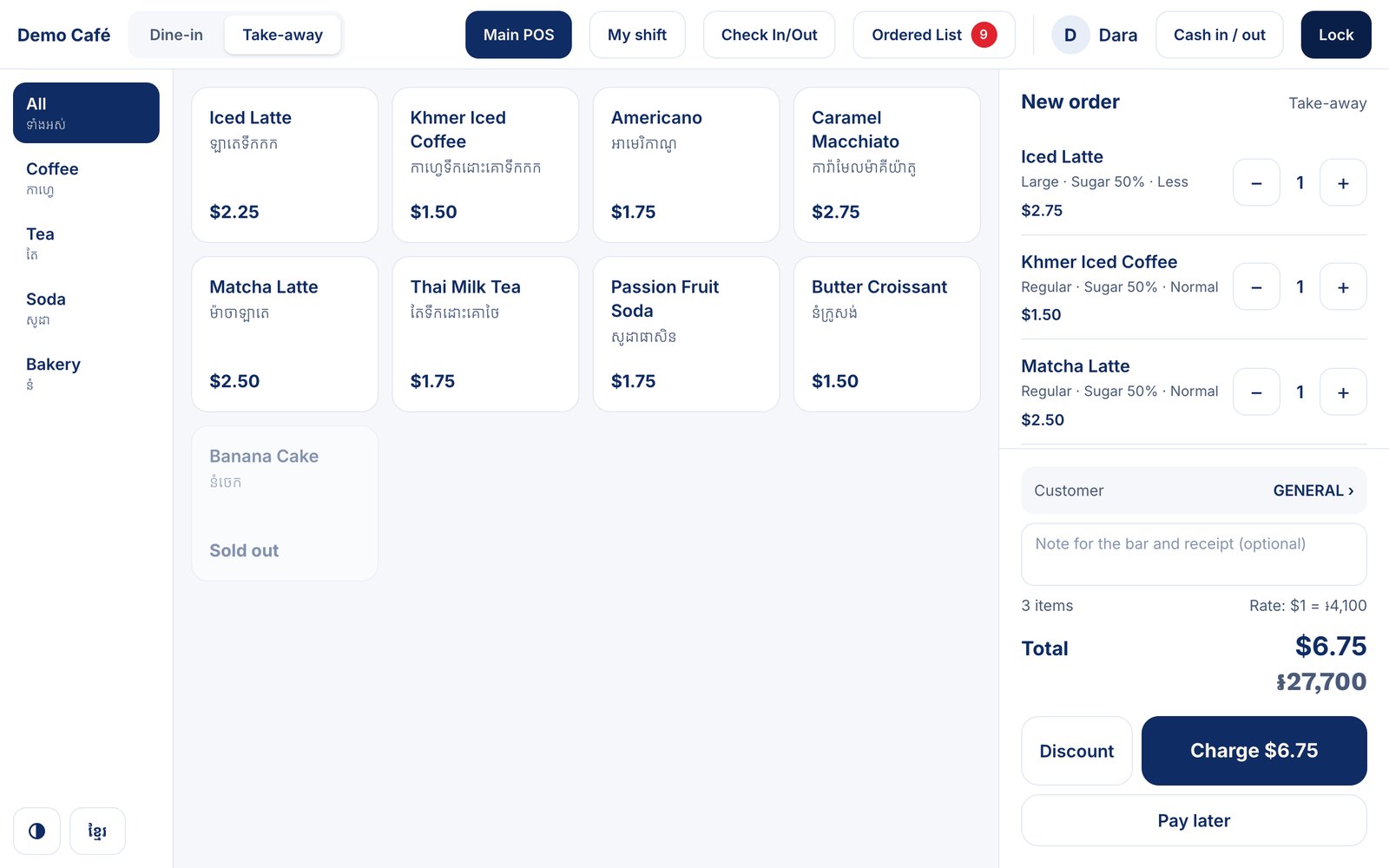
At the counter
Fast at the counter, even at rush hour.
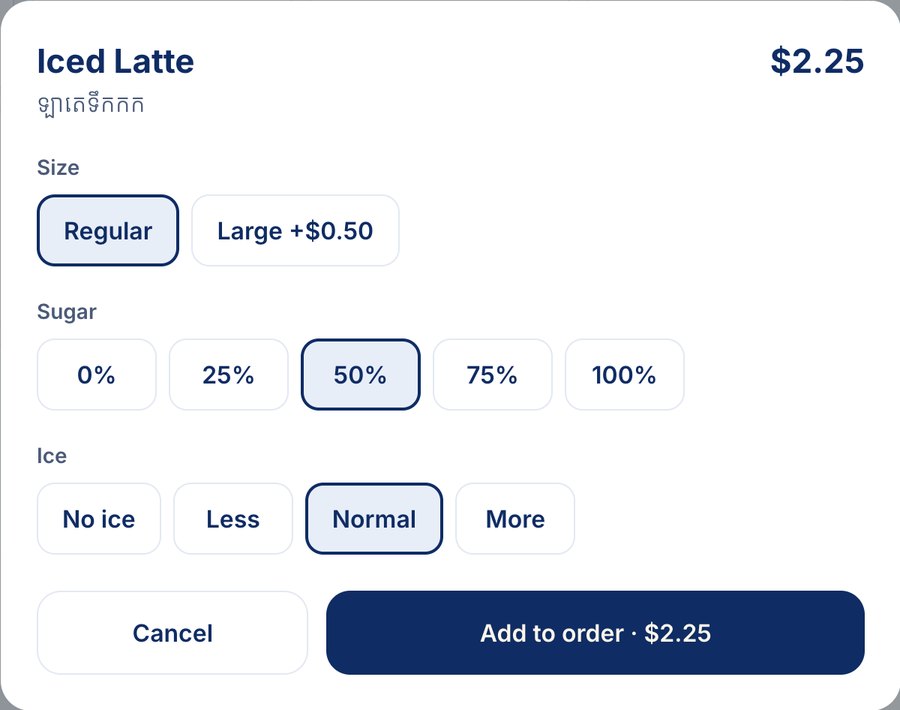
- Big photo tilesTwo taps per item. Size, sugar, ice, spice or any option you set, in one sheet.
- Staff PIN loginEach cashier signs in with a 4-digit PIN. Every sale shows who took it.
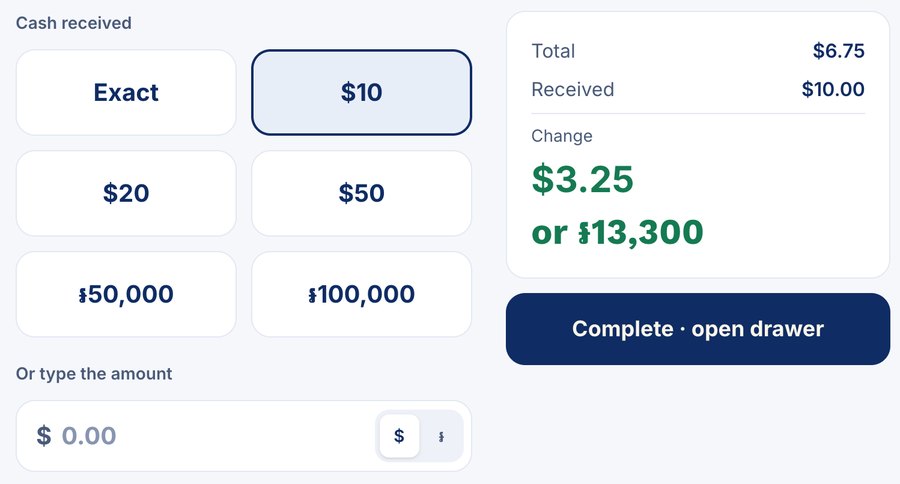
- Cash with changeType what the customer gave. Change shows in dollars and riel.
- Discounts and notesDiscount a bill, add an order note, pick the customer for the sale.
- Pay laterSend the order to the kitchen now and take payment when it's served.
- Keeps selling offlineInternet down? Cash orders keep going and sync when it's back.
- Receipts, kitchen and bar ticketsXprinter 58/80mm by Wi-Fi, Bluetooth or USB. Food prints in the kitchen, drinks at the bar. Opens the cash drawer.
- Open and close shiftsCount the drawer, record cash in and out, and see what's due at close.
- Today's ordersSee every order of the day, reprint a receipt or ticket any time.
Payments and table ordering
Payments and table ordering
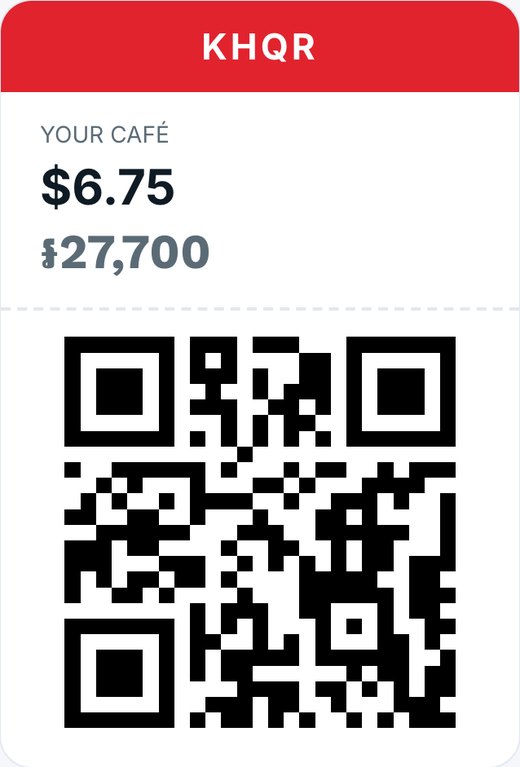
KHQR payments
- A new KHQR for every order, with the amount already filled in.
- Money goes straight to your own bank account.
- Customers scan with ABA, ACLEDA, Wing or any KHQR app.
Order from the table
- Customers scan the QR on their table and order from their phone.
- You choose: pay first by KHQR, or pay at the counter.
- They watch their order status live. Print all table QRs on one sheet.
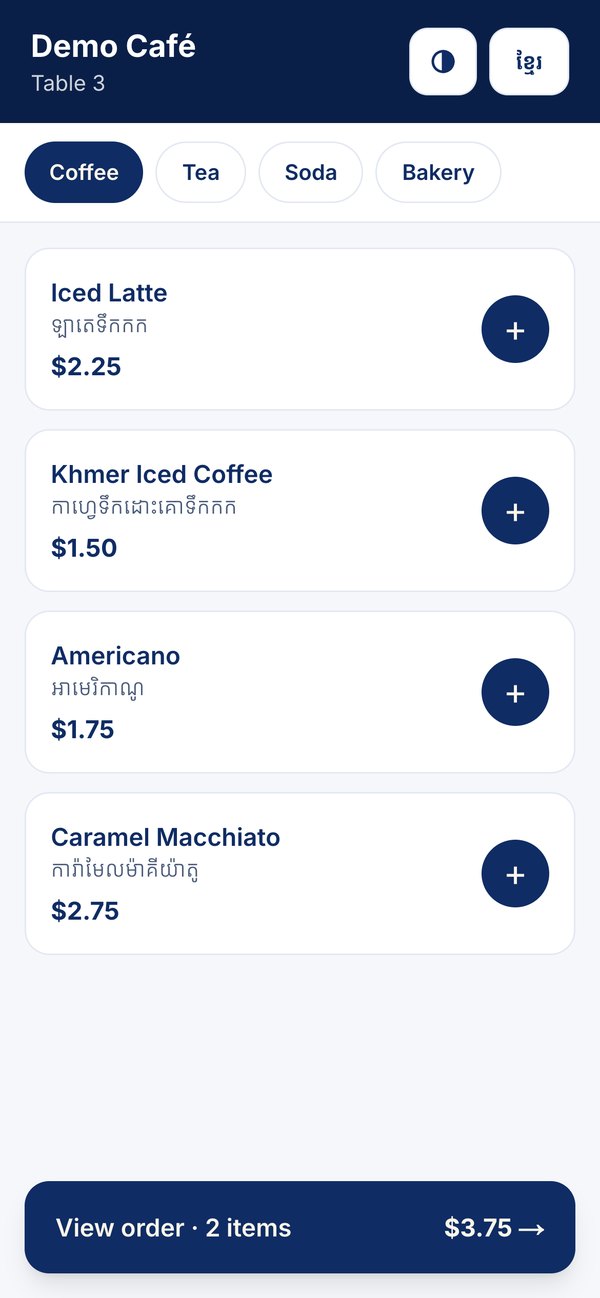
From order to table
- 1
Take the order
At the counter, or the customer orders from the table QR.
- 2
Get paid
Show the KHQR for the exact amount, or take cash.
- 3
Prepare it
The kitchen or bar ticket prints with every option.
- 4
Close the shift
Count the cash. The summary goes to your Telegram.
Also: order ahead online for pickup, paid by KHQR.
Back office · on your phone or laptop
Know your numbers without counting by hand.
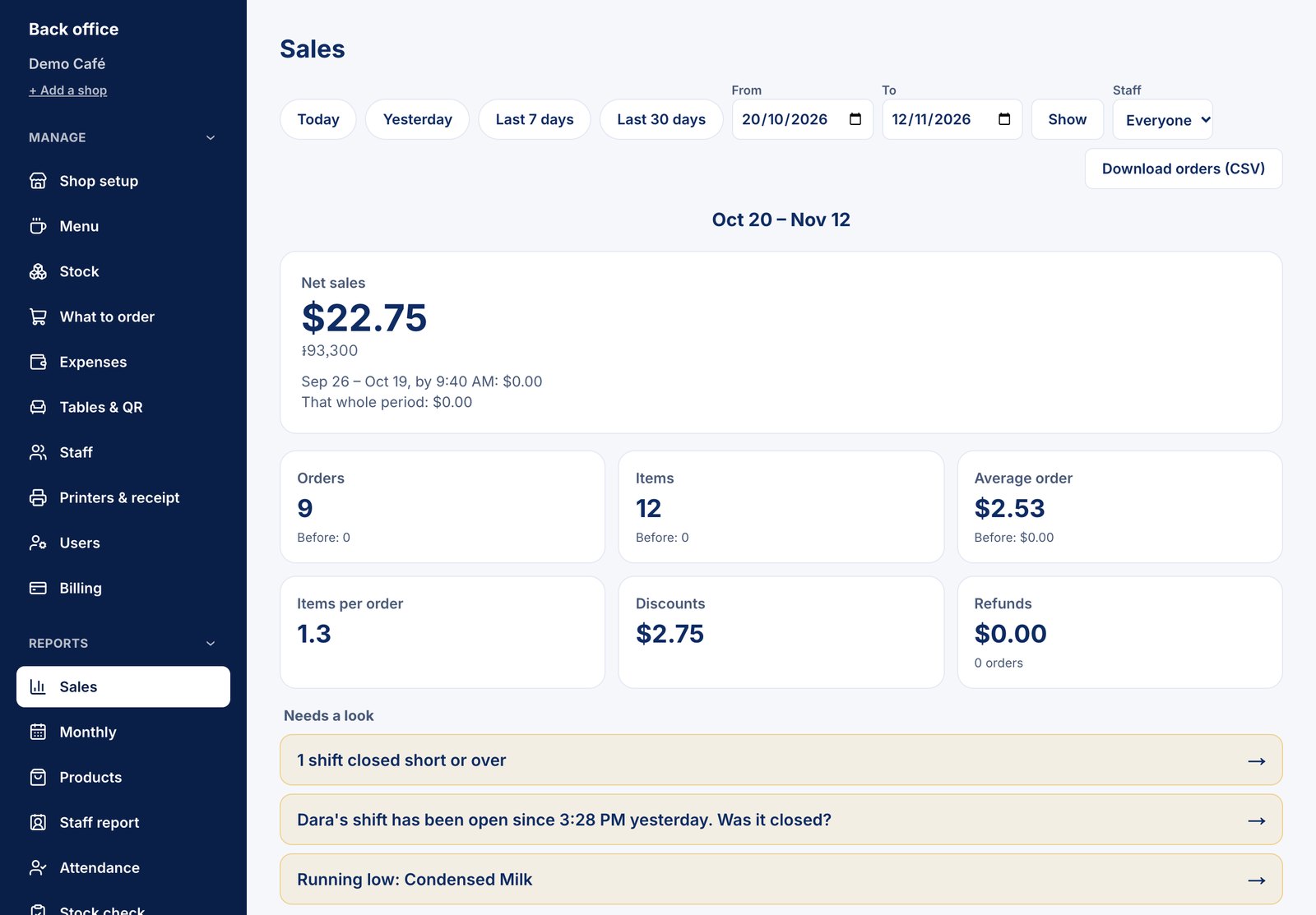
Everything the tablet records lands in the back office: what sold, what it cost you, who worked, and what to buy next.
Manage the shop
- Stock and recipesEnter ingredients the way you buy them: by box, bag or bottle. Each menu item uses its recipe, so stock goes down as you sell.
- What to orderA shopping list of what's running low, with your suppliers. Record deliveries, waste and stock counts.
- Expenses and net profitAdd rent, salaries and bills. See profit after costs, not only sales.
- Menu editorCategories, prices, options and photos you can crop. Mark an item sold out in one tap.
- Staff and rolesOwner, manager and cashier each see only what they need. Tablets sign out after 20 idle minutes.
- Staff check in and outStaff scan the tablet's QR with their phone, or tap their name with a manager's OK. Hours add up on their own.
Reports that answer real questions
Pick any dates or a month. Export to CSV for your accountant. Problems show up on their own: a short cash drawer, a shift left open, stock running low.
- Salescash vs KHQR, by hour
- Monthlyday by day
- Productsprofit per item
- Trendsbest and slow sellers
- Cashevery drawer, every day
- Stock checkused vs counted
- Staffsales per cashier
- Attendancedays and hours
Shift summaries on Telegram
When a shift closes, the totals arrive in your Telegram group: sales, cash, KHQR, withdrawals and what's due. Connect several chats, each in Khmer or English. Staff check-ins can be sent too.

X POS Bot
Shift closed · Dara · 14:00–21:30
- Cash sales
- $182.50
- KHQR sales
- $241.75
- Cash taken out
- $150.00
- Net sales
- $424.25
- Several branches, one login
- Your logo on receipts
- Khmer and English, one tap
- Light and dark screen
- Tablet, phone or laptop
Price
One simple price per store.
Water Festival price · until 25 November
Software only. Regular price $15/month, or $165/year (1 month free).
- Every feature on this page
- Free installation at your shop
Need hardware?
POS tablet + receipt printer: $299 one time. Installation is free.